
Documentation
Backlinks
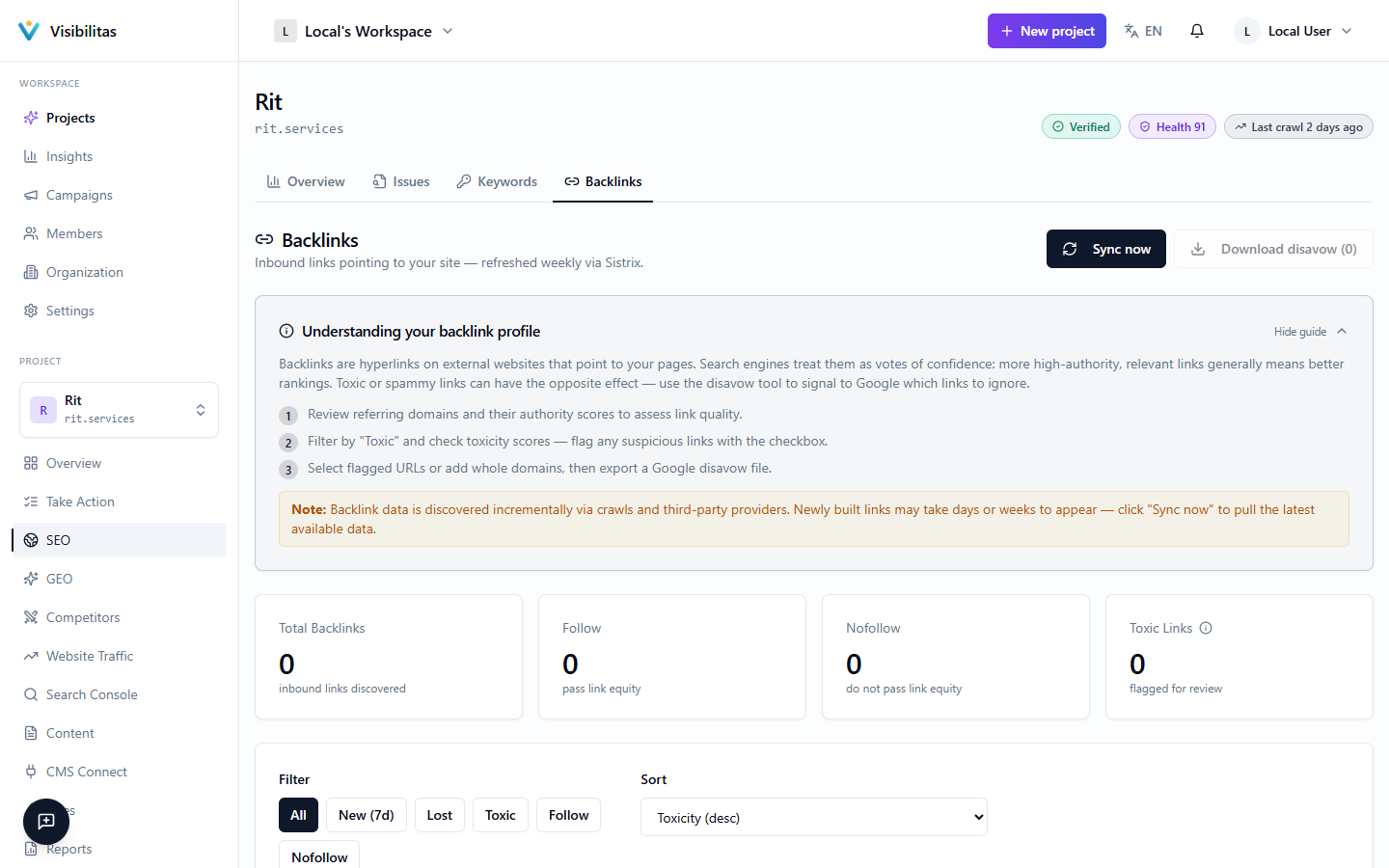
The Backlinks page lists every inbound link your project's backlink provider has discovered pointing at your domain. Each link is scored for Domain Authority (how much ranking weight the linking site carries) and Toxicity (how spammy or risky the link looks), so you can tell a genuine editorial mention from a purchased or spammy one at a glance.
Data is refreshed on a schedule via your connected provider, but you can also trigger a manual sync to pull the latest snapshot on demand. From this page you can also stage suspicious links or entire domains and generate a Google disavow file to ask search engines to ignore them.
Your backlink profile
At the top, one card sums up your link profile: how many links point at your site and from how many sites, how they split between follow (pass link equity), nofollow (do not) and ugc or sponsored, how many are new this week, how many were lost, and how many are flagged toxic.
Below it, the Link quality map draws every linking site as one bubble: the linking site’s authority across, our toxicity score up, sized by how many live links it gives you. A filled blue bubble gives follow links, a grey one only nofollow, and a dashed one has lost its links. The map is split into three zones, the same ones every count in Visibilitas uses: 70 and up is worth disavowing, 50 to 69 is flagged toxic and worth a look, and under 50 is normal. Beside the map, Sites to check lists the linking sites in the two upper zones, the worst first. Click a bubble or a site to show only its links in the list below.
The Anchor text card shows the words other sites link you with, each as a share of your live links and labelled brand, address, generic or keyword. A dashed line marks 5%: a keyword anchor past it is highlighted, because one exact keyword on that many links looks bought to Google. Brand and address anchors are fine however common.
The list at the bottom shows each link’s source site and page, anchor text, authority, link type, toxicity, status (Active or Lost) and when it was last seen. Filter it to All, New (first seen in the last 7 days), Lost, Toxic, Follow or Nofollow, and sort it by toxicity, authority or most recent.
If you can edit the project, Sync now in the header pulls a fresh snapshot from the backlink provider and reports how many links are new, back or lost. If no provider is connected, or the sync fails, a banner says so and nothing is written. When a sync finds newly gained or lost links, organization admins get a notification linking back to this page.
Reading backlink quality signals
Authority (domain authority) is a 0–100 estimate, supplied by the backlink provider and rescaled to this range, of how much ranking weight the linking site itself carries, based on the size and quality of that site’s own backlink profile. Roughly: 60+ is a strong site, 30–59 is ordinary, under 30 is weak, and under 10 usually indicates a directory, scraper, or spam site. It is a third-party estimate rather than a Google metric, so use it to compare links against each other rather than as a fixed target.
Toxicity is a 0–100 risk score that Visibilitas computes itself for every link. Here, unlike authority, a higher number is worse. It factors in low authority on the linking site (the single largest factor), a domain name matching known spam patterns (link farms, casino/pharma content, throwaway top-level domains), one exact keyword used as the anchor of more than 5% of your links (brand and address anchors never count), and the linking site being hosted in a region that commonly serves spam toward your market. Sponsored and UGC (user-generated content) links get their score reduced, since they carry less ranking weight in the first place. A site’s bubble on the map sits at its worst live link’s score. 70 and up is generally worth disavowing, 50 to 69 is flagged toxic and worth a manual look, and under 50 is normal. Always check a link yourself before disavowing, though, since a small legitimate site can score high purely for having low authority.
To act on what you find, click a site on the map, in Sites to check or in the list, and add it to the Disavow file card to disavow the whole site; tick individual links in the list to disavow just those pages; or type a site’s address into the card. Download disavow file (available if you have export permission) generates a text file in Google’s disavow format (your picked page URLs and `domain:` entries) that you upload in Google Search Console’s disavow tool. Visibilitas never submits this file on your behalf; the download is yours to review and upload.